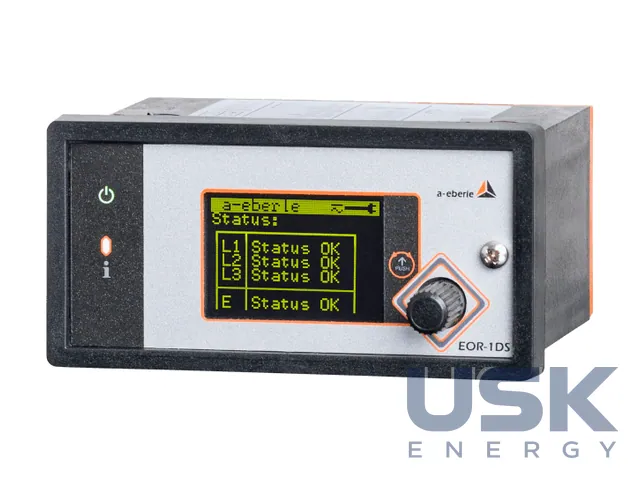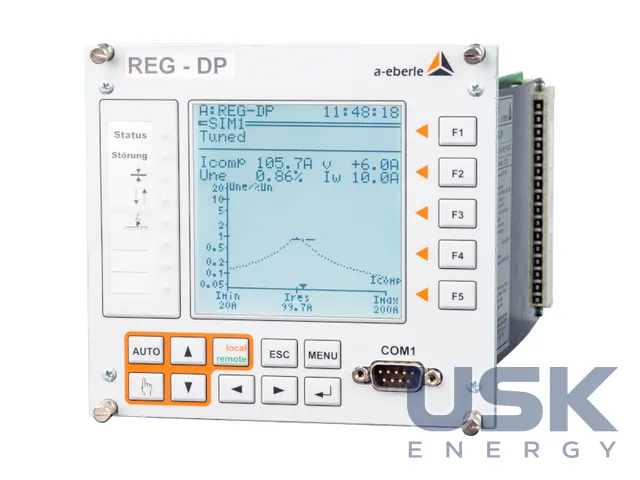
Professional Line — digital DIN-rail protection relays (XRI and others)
Professional Line is a range of digital DIN-rail protection relays with single or combined functions for low and medium voltage networks. They are set with DIP switches and potentiometers without a computer, and if needed through an adapter and the Smart view program.
- Purpose
- typical protection functions for LV and MV networks
- Mounting
- DIN rail
- Setting
- rated voltage and frequency by DIP switches, pickup settings and delays by potentiometers
- Power supply
- wide range AC/DC
Price, availability and lead time on request. We help with analogue selection, customs clearance and delivery.
Description
The Professional Line has been produced since 1994. The relays cover all common protection functions for LV and MV networks, in versions with single and with combined functions. The ability to set the relay without tools or software has earned the manufacturer the reputation of being the commissioning engineer's best friend. DIN-rail mounting is quick, and the compact dimensions allow the relays to be installed in tight spaces. The relays sit on the rail next to other secondary equipment, and no separate panel is needed for them.
The rated voltage and frequency are set with DIP switches, and the pickup settings and time delays are set with potentiometers on the front panel, so no computer is needed. This kind of setting is familiar to every commissioning engineer and does not depend on having a laptop or on software versions. The remaining settings are made with buttons on the front panel. A wide-range AC and DC power supply makes the devices universal, so there are no problems with preset auxiliary voltage ratings. The cause of operation is shown by LEDs and output relays. A built-in self-test started by a button quickly checks the relay and the LEDs.
For those who work with a PC, there is an optional interface adapter through which the relays are configured with the Smart view program. It is convenient for viewing, documenting and checking the settings made on the front panel. For all relays except the XRI, the XRS1 adapter is intended (order code XRS1A or XRS1*). For XRI relays, except the XD1-G, the RS485–USB adapter with code RSC2485USB1 is used. Without the adapter the relay works fully autonomously.
Sealed plastic covers show whether the settings have been accessed without authorisation. There is no Ethernet interface, so attacks over the network are ruled out, which is a weighty argument for sites with cybersecurity requirements. The range is used to protect incomers, feeders, generators and motors in LV and MV networks, for decoupling protection of small generating installations, and in the secondary circuits of switchgear and packaged substations where simple setting is valued. The list of specific relays and their technical data is given in the manufacturer's product configurator and is not detailed on the range page.
Technical specifications
| Purpose | typical protection functions for LV and MV networks |
|---|---|
| Mounting | DIN rail |
| Setting | rated voltage and frequency by DIP switches, pickup settings and delays by potentiometers |
| Power supply | wide range AC/DC |
| Indication | LEDs and output relays |
| Interface | optional XRS1 or RS485–USB (RSC2485USB1) adapter for Smart view |
| Features | no Ethernet, protection against network attacks; sealed covers; built-in self-test |
Request a price and lead time
Professional Line — digital DIN-rail protection relays (XRI and others). We reply within one business day.
Or email sales@usk.ua or call 044 339-50-20.
Customs codes
| UKTZED (Ukraine) | 8537 10 98 00 |
|---|---|
| HS, 6 digits | 8537 10 |
| CN (EU) | 8537 10 98 |
| HTSUS (USA) | 8537 10 91 70 |
| China customs tariff | 8537 10 90 90 |
Codes are for reference: the final code is determined at declaration for the specific model.
Questions and answers
Can Professional Line relays be set without a computer?
Yes, the rated voltage and frequency are set with DIP switches, and the pickup settings and time delays with potentiometers on the front panel.
Which adapter is needed to connect an XRI relay to Smart view?
For XRI relays, except the XD1-G, the RS485–USB adapter with order code RSC2485USB1 is used. For the other relays of the range the XRS1 adapter is intended.
Do Professional Line relays have a network interface?
No, there is no Ethernet interface, so attacks over the network are ruled out. Access to the settings is controlled by sealed covers.
Similar equipment from other manufacturers